Limo customers call because the booking page raised more questions than it answered. Unclear pricing and missing fields send corporate clients and event bookers to the phone instead. That happens even when they would rather skip the call. This post is for limo business owners and fleet managers who want more online reservations. Fix the right points on the booking page, and most of those calls become self-serve bookings.
Key Takeaways
- Most limo customers would rather book online — an unclear page pushes them to the phone instead.
- Corporate clients call when the page does not confirm their account rate will apply to the booking.
- Hourly and transfer pricing work differently — a booking page that does not clarify this creates hesitation.
- A flight number field for airport pickups is a basic requirement that many limo booking pages still miss.
- Automated reminders after booking reduce no-shows without any staff involvement.
- Limo Captain’s booking widget and passenger app give customers a direct path to booking and trip management.
Why Limo Customers Call Instead of Booking Online
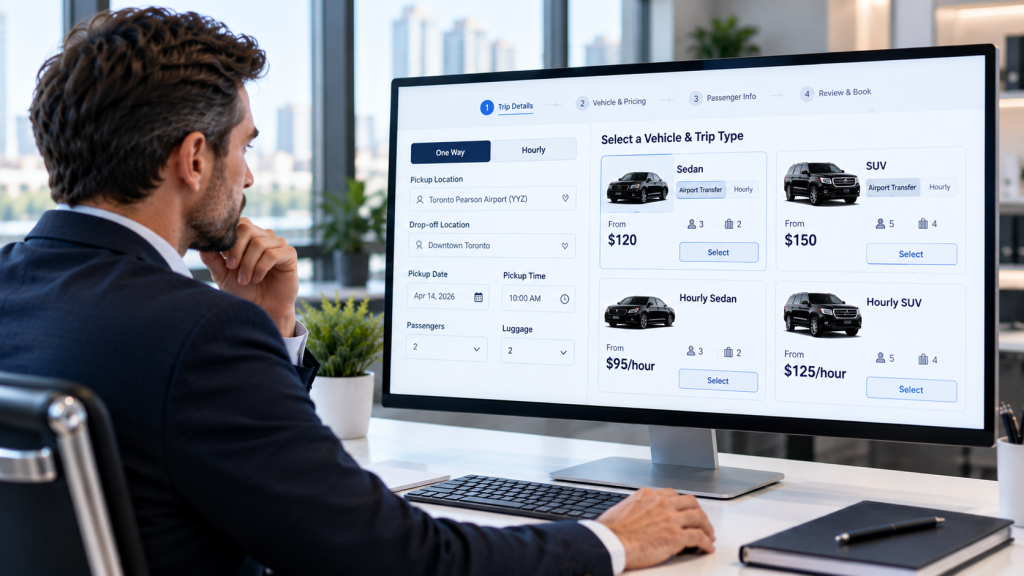
The phone is a fallback, not a preference. Most customers would rather book online than wait on hold or call during business hours. When they call anyway, the booking page did not give them what they needed.
Limo bookings are more complex than a standard service appointment. The customer needs to select a vehicle, confirm a rate, and often add a flight number. When any of those steps is unclear or missing, calling feels faster than guessing.
That call takes time — for the customer and for the operator. It removes the booking from the platform, requires staff to confirm details manually, and delays confirmation. A booking page that answers the right questions captures those reservations automatically.
They Cannot Get a Clear Price
Limo pricing varies by vehicle class, distance, duration, and applicable surcharges. A customer who gets a “we’ll call you back” response will often move on.
This does not mean publishing a flat rate for every scenario. It means giving clear starting rates by vehicle type and trip category. A sedan airport transfer is a different rate from an hourly SUV booking. Both should have a visible starting point before the customer fills out the form.
Corporate clients have an additional concern. They need to know whether their negotiated account rate will apply to the booking. If the page does not confirm that, they call.
The Booking Page Has No Flight Number Field
Airport pickups are a significant part of limo revenue. A driver waiting in arrivals needs to know the flight. Without a flight number field, that detail gets handled by phone or email after booking.
That adds a step and delays confirmation. Flight changes then come through a channel that may not be monitored. A booking page that captures the flight number at booking removes that step. The system monitors the flight. The driver gets updated timing without a separate call.
They Are Not Sure Which Vehicle to Book
A sedan fits four passengers. An SUV fits six. A stretch limo fits more. A customer booking for a group of five without that capacity information will call to ask.
The booking page should show the passenger capacity of each vehicle type. That one piece of information removes the most common vehicle selection call. Event planners and travel managers benefit when that comparison is visible at the selection step.
Hourly and Transfer Pricing Are Not Explained
Limo services run on two main pricing structures. A transfer is a point-to-point trip at a flat rate. An hourly booking covers a set number of hours at a rate per hour. Customers who do not understand the difference call to ask which applies to their trip.
A brief note explaining when each structure applies removes most of those calls. A customer who knows the difference can choose without calling.
What the Limo Booking Page Needs
Clear Rates by Vehicle and Trip Type
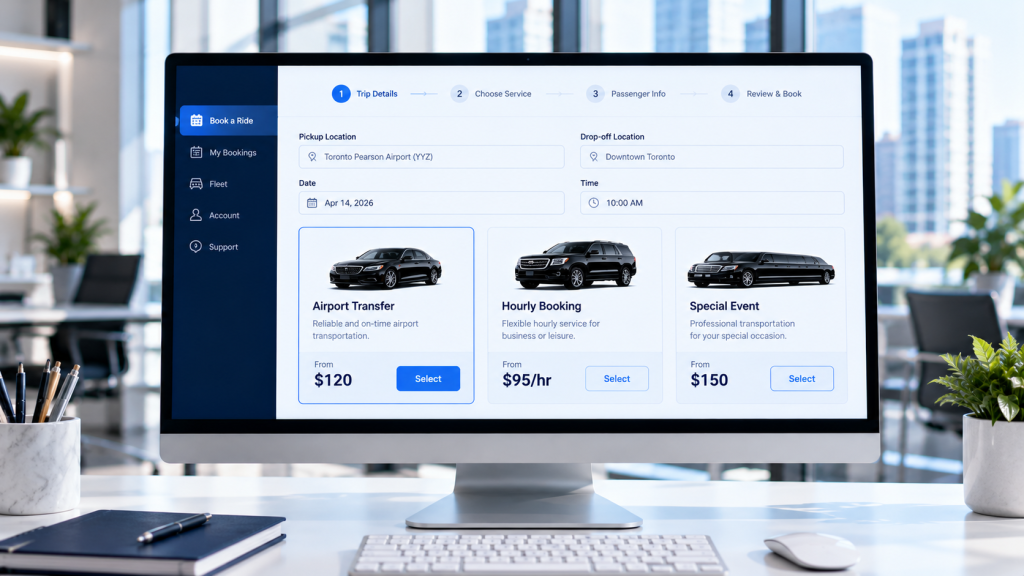
Show starting rates for each vehicle class by trip type: airport transfer, hourly, event. Customers who see a rate before filling out the form convert at a higher rate. Corporate clients who see their account rate reflected at login convert faster still.
Limo Captain’s booking software supports account-level pricing for corporate clients. The rate applies automatically when the client logs in. No follow-up call required.
A Flight Number Field for Airport Pickups
Every airport pickup should collect a flight number at the time of booking. The system uses it to monitor the flight and update the driver when arrival time changes. That removes the follow-up call before the pickup. The driver stays on schedule when flights land early or late.
Vehicle Capacity at the Selection Step
Show passenger capacity next to each vehicle type in the booking flow. One number removes a phone call. Customers choose the right vehicle the first time, without confirming by phone.
Automated Confirmation and Reminders
Once a customer books, send an immediate confirmation with trip details, vehicle, and driver contact information. Send a reminder before the pickup. Customers who receive a reminder show up.
Limo Captain’s automated reminders go out without staff action at any hour. More on reducing no-shows is at the limo no-shows guide. A clear confirmation also reduces pre-trip calls from clients checking their booking details.
The Passenger App Advantage
Limo Captain’s passenger app gives customers a direct path to booking, tracking, and managing trips. They can track the driver in real time, review trip details, and contact the driver directly.
For corporate clients who book frequently, the app stores past trips and enables quick rebooking. A client who can rebook a regular airport run in two taps will not call. Travel managers who handle multiple bookings across a corporate account manage them through the same platform. That reduces inbound calls and removes the back-and-forth that comes with email booking.
How Online Booking Builds Repeat Business
Limo clients who book online have a consistent, repeatable experience. They can manage their own schedule, see their trip history, and rebook without help. That consistency builds trust and drives repeat business.
A client who must call for every booking will find an operator with an easier page. A client who can book in two minutes will come back. In the luxury market, convenience is part of the service.
Online booking also creates a structured record. Clients can see what they paid, review past trips, and rebook in seconds. That visibility reinforces confidence in the operation.

Frequently Asked Questions
Why Do Limo Customers Still Call Instead of Booking Online?
Limo customers call when the booking page cannot answer their questions. Pricing is unclear, vehicle options are confusing, or there is no flight number field. A page that addresses those points converts more browsers to confirmed bookings.
What Makes a Good Limo Booking Page?
A good limo booking page shows starting rates before asking for contact details. It has a flight number field for airport pickups. It shows vehicle capacity at the selection step. It sends an automatic confirmation and a reminder before the trip. Accepted payment methods are listed clearly.
How Does the Passenger App Reduce Inbound Calls?
The passenger app gives clients real-time driver tracking, trip details, and direct driver contact. Clients who can track their driver do not need to call dispatch. Corporate clients who manage bookings through the app handle changes without calling the office.
Can Online Booking Reduce No-Shows for Limo Operators?
Yes. Automated reminders sent before a pickup reduce no-shows without staff action. A client who receives a reminder before a pickup is far less likely to miss it. Limo Captain’s automated reminders go out on a set schedule for every confirmed booking.
What Is the Difference Between a Transfer and an Hourly Booking?
A transfer is a point-to-point trip at a flat rate. An hourly booking covers a set number of hours at a rate per hour. Explaining both structures on the booking page removes one of the most common pre-booking calls. Customers who understand the difference can choose the right booking type the first time.
Final Thoughts
Limo customers call when the booking page leaves key questions unanswered. The fix is specific to this industry. Show rates by vehicle and trip type. Add a flight number field. Show vehicle capacity at the selection step. Send an immediate confirmation after booking. Each of these replaces a phone call.
Operators who make the booking process clear keep clients coming back. Those who leave questions unanswered on the page answer them by phone instead.
Limo Captain’s booking software manages reservations, automated dispatch, and payments from one platform. The Free plan covers up to 10 trips per month at $0. The Starter plan is $99 per month plus $0.25 per trip. Full plan details are on the Limo Captain pricing page.
Call +1 888-545-8881 or visit limocaptain.com to get started.
Editorial Note: This article was prepared by the Limo Captain Editorial Team in October 2026. Limo Captain is the publisher of this content.