It is the end of the week. Payroll is due. Your team pulls together time cards from three drivers — written by hand, inconsistent, and impossible to verify. One driver worked overtime. Another logged breaks incorrectly. A third forgot to clock out twice. Manual calculations take hours. Errors creep in. Drivers question their pay. Managers spend the afternoon fixing numbers instead of running the business. This is a common scenario in the limo industry — and it has a direct solution. Limo Captain builds a clock-in system designed for chauffeur businesses that need accuracy, accountability, and speed.
Payroll Mistakes and Manual Time Tracking in the Limo Business
Small businesses in the transportation world manage time tracking with spreadsheets, paper logs, and memory. This works until it does not.
For limo companies, the stakes are higher than most. Drivers work irregular hours. They cover airport runs at 4 a.m., corporate events on weekends, and back-to-back shifts during busy seasons. Tracking employee hours across these patterns — accurately and consistently — challenges even the most organized teams.
Here is what goes wrong with manual time tracking:
- Payroll mistakes multiply. Manual calculations leave room for error at every step. Overtime calculations, break deductions, and pay rates all require precision. One missed entry changes the numbers for the entire week.
- Time theft goes undetected. Without a structured clock-in system, buddy punching becomes a risk. One employee clocks in for another. Hours worked inflate without accountability.
- Administrative work piles up. Managers spend hours each week reconciling time cards, chasing missing data, and running manual calculations. That time comes out of business development and client service.
- Pay disputes damage morale. When drivers question their pay, trust breaks down. Without a system that logs clock-ins, clock-outs, and total work hours transparently, disputes are hard to resolve.
- No payroll system integration. Manual data entry into a payroll system opens the door to transcription errors. Numbers change between the time card and the final pay calculation.
For limo companies managing multiple work types — office staff, sedan drivers, SUV drivers, and special vehicle drivers — the complexity grows further. Each role carries different pay rates. Without a structured system, labor costs become unpredictable and difficult to manage across the team.
The limo industry across Canada and the U.S. runs on tight margins. Payroll mistakes cost money. Time theft costs money. Administrative work costs time. A clock-in system built for the chauffeur business solves all three.
How a Clock-in and Clock-Out System Works for Limo Drivers
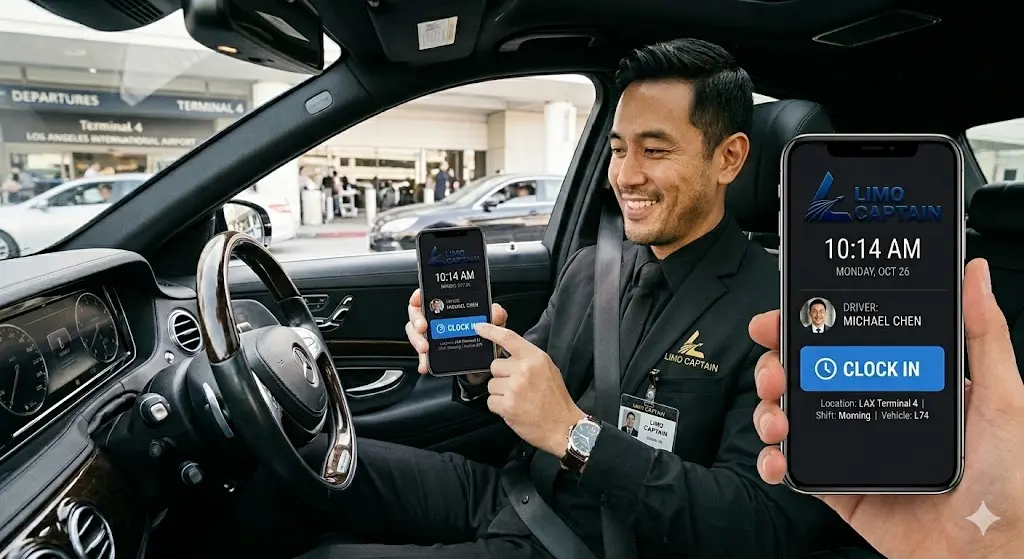
Limo Captain includes a workforce management and payroll automation system built directly into the platform. It handles clock-ins, clock-outs, pay rate assignment, and earnings calculations — without spreadsheets or manual input.
Here is how the system works in practice:
Work Type Setup Administrators create unlimited work types inside the platform. Examples include Office Staff, Sedan Driver, SUV Driver, or Special Vehicle Driver. Each work type receives its own hourly pay rate. The admin defines these rates during setup. The system applies them automatically when drivers clock in.
Driver Clock-In via the App Drivers use the driver app to clock in at the start of their shift. They select their assigned work type — for example, Sedan Driver — and the system starts tracking employee time from that moment. No paperwork. No phone call to the office. The time clock app handles everything.
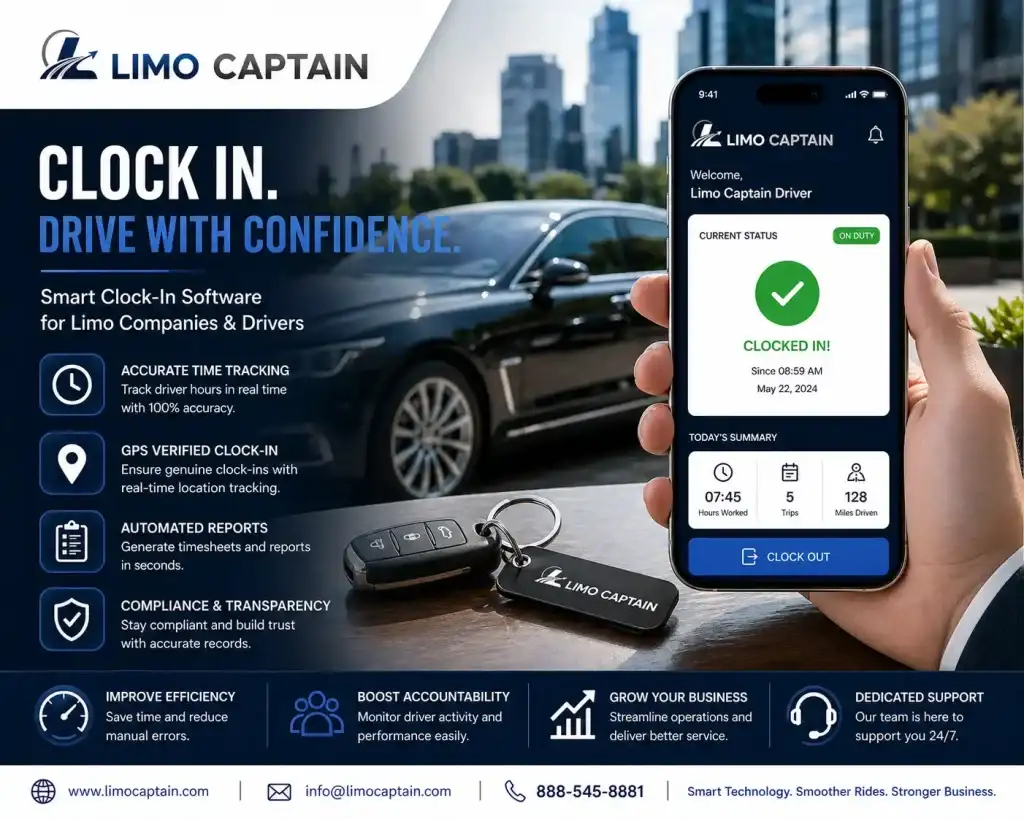
Automatic Earnings Calculation When a driver clocks out, the system calculates total work hours and earnings automatically. It applies the correct pay rate for the selected work type. It accounts for overtime based on rules the admin sets. Managers access a complete breakdown in the admin dashboard — with no manual calculations required.
Clock-In Restriction Options Limo Captain gives administrators three clock-in restriction settings to prevent time theft and buddy punching:
- No restriction: Drivers clock in from any location. This works for teams working remotely or across multiple job sites.
- IP-based restriction: The system allows clock-ins only from defined IP addresses — a single location or multiple allowed addresses. This suits office-based teams or depot check-ins.
- Geo-location restriction: The system uses location data to restrict clock-ins to a defined radius around one or more allowed locations. Drivers on site at a specific depot or facility clock in only when physically present.
These restrictions give fleet managers accountability tools without micromanagement. The system enforces the rules automatically.
Payroll and Work Hour Reports The admin dashboard generates complete payroll, payout, and work-hour reports at any time. Managers view total work hours by driver, work type, or date range. Reports cover regular work hours, overtime, and break deductions — all calculated automatically. The data exports cleanly, removing the need to re-enter numbers into a separate payroll system.
Benefits for Limo Fleet Operators
A clock-in system does more than track hours. It changes how the limo business manages its team, controls labor costs, and runs payroll.
Eliminate Manual Calculations The platform eliminates manual calculations from the payroll process. Earnings calculate automatically when a driver clocks out. Overtime applies based on pre-set rules. Managers review the data — they do not create it. This saves hours of administrative work every week.
Control Labor Costs When total work hours are tracked accurately, labor costs become predictable. Operators see exactly what each driver earns per shift, per week, and per work type. This data helps managers schedule efficiently, assign the right work type to the right driver, and keep payroll within budget.
Reduce Payroll Disputes Drivers access their own time data through the app. They see clock-ins, clock-outs, breaks, and earnings in real time. When questions arise, the system provides the answer. Payroll disputes drop because the data is clear, accessible, and consistent across the entire team.
Prevent Time Theft Geo-location and IP-based restrictions prevent buddy punching and false clock-ins. The system only accepts a clock-in from an approved location or IP address. Accountability builds into the process — without confrontation or manual oversight.
Use Cases That Show the Value:
- Airport transfer drivers: Drivers work early morning and late night shifts. The system tracks irregular hours and calculates overtime accurately — without manager intervention.
- Corporate fleet operators: Multiple drivers work different work types on the same day. The platform assigns the correct pay rate to each work type automatically.
- Office and admin staff: The same system tracks employee hours for non-driving staff. One platform manages the entire team — from dispatcher to chauffeur.
- Small businesses scaling up: As the team grows, the system scales. Add new work types, adjust pay rates, and expand to new locations without changing the setup.
Why Limo Captain is the Best Choice?
Many time clock apps exist in the world of small businesses. Generic tools — built for retail, hospitality, or independent contractors — handle basic clock-ins. They lack the workforce management depth that limo companies need.
Limo Captain builds for the chauffeur business specifically. The clock-in system connects directly to bookings, dispatch, payments, and fleet management — on one platform.
Built for Limo Work Types Most time clock apps do not allow work-type-level pay rate assignment. Limo Captain lets admins create unlimited work types with individual pay rates. A Sedan Driver and an SUV Driver earn different rates. The system tracks and calculates each automatically — no workaround needed.
One Platform for the Whole Business The clock-in system lives inside the same platform that manages bookings, drivers, vehicles, and payments. Managers access payroll data, driver schedules, and fleet reports from one dashboard. There is no need to sync data between a time clock app and a separate booking or payroll system.
No Training Burden Drivers clock in through the same app they use for bookings and trip management. No separate app to download. No additional training. The system fits into the existing workflow from day one.
Scales Across Any Team Size Whether you manage three drivers or thirty, the platform handles it. Admins assign work types, set pay rates, and configure clock-in restrictions in minutes. As the business grows, the system grows with it — across locations, work types, and team structures.
Conclusion
A clock-in system for limo drivers does more than track hours. It removes payroll mistakes, controls labor costs, prevents time theft, and gives managers accurate data without administrative work. Limo Captain builds this system into the same platform that runs bookings, dispatch, and fleet management — giving limo companies one place to manage the entire operation. From clock-in to payout, every step runs automatically.
Frequently Asked Questions
How does a clock-in system work for limo drivers specifically?
A clock-in system for limo drivers lets each driver select their work type — such as Sedan Driver or SUV Driver — when starting a shift via the driver app. The system records the start time, tracks total work hours, and calculates earnings based on the assigned pay rate when the driver clocks out. Administrators access complete payroll and work-hour reports from the dashboard, with no manual calculations required at any stage.
Can a limo clock-in system prevent time theft and buddy punching?
Yes. Limo Captain’s clock-in system includes geo-location and IP-based restrictions. Geo-location settings allow clock-ins only within a defined radius of an approved job site or depot. IP-based restrictions limit clock-ins to approved network addresses. These options prevent drivers from clocking in for each other or from unapproved locations — building accountability into the process automatically, without managers monitoring every clock-in manually.
How does a clock-in system reduce payroll mistakes for limo companies?
Payroll mistakes come from manual calculations — wrong pay rates, missed overtime, and incorrect break deductions. A clock-in system eliminates these errors by applying pre-set pay rates automatically when drivers clock out. Overtime and break rules apply based on admin settings. The system generates accurate payroll reports without manual input. Limo companies that automate this process see fewer disputes, faster payroll processing, and cleaner financial records every week.
Can limo companies assign different pay rates to different driver work types?
Yes. Limo Captain lets administrators create unlimited work types — Office Staff, Sedan Driver, SUV Driver, Special Vehicle Driver — each with its own hourly pay rate. Drivers select their work type at clock-in. The system applies the correct rate automatically. This removes the need to manually assign rates during payroll processing and ensures every driver receives accurate pay regardless of the work type they performed during the week.
Does a limo clock-in system work for drivers working remotely or across multiple locations?
Yes. Limo Captain’s clock-in system supports three restriction modes: no restriction for remote or mobile workers, IP-based restriction for fixed office or depot locations, and geo-location restriction for defined on-site zones. Administrators configure multiple allowed locations within a single account. This flexibility supports limo businesses with drivers working remotely, across multiple depots, or on site at client facilities — without requiring a separate system for each location.
Ready to experience luxury ground transportation handled with precision from start to finish? Book your limousine today and ride with a service that runs on technology built for excellence. Choose from our free plan and paid plans based on your business requirement.